Inside LodgeOps

The screens your team will live in.

Real screens from the staff app, filled with a sample lodge. Your rooms, rates, guides and menus go where these are.

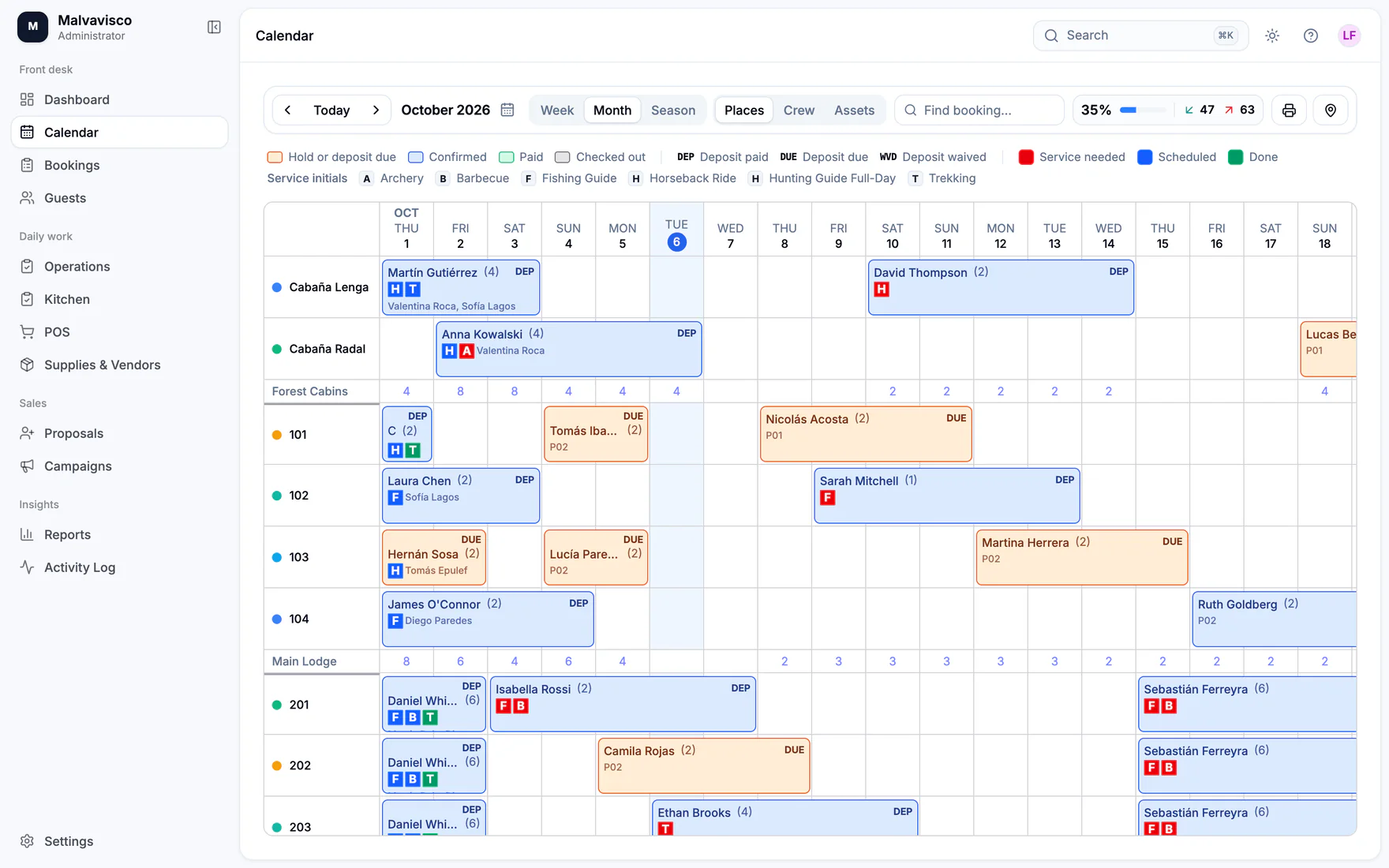
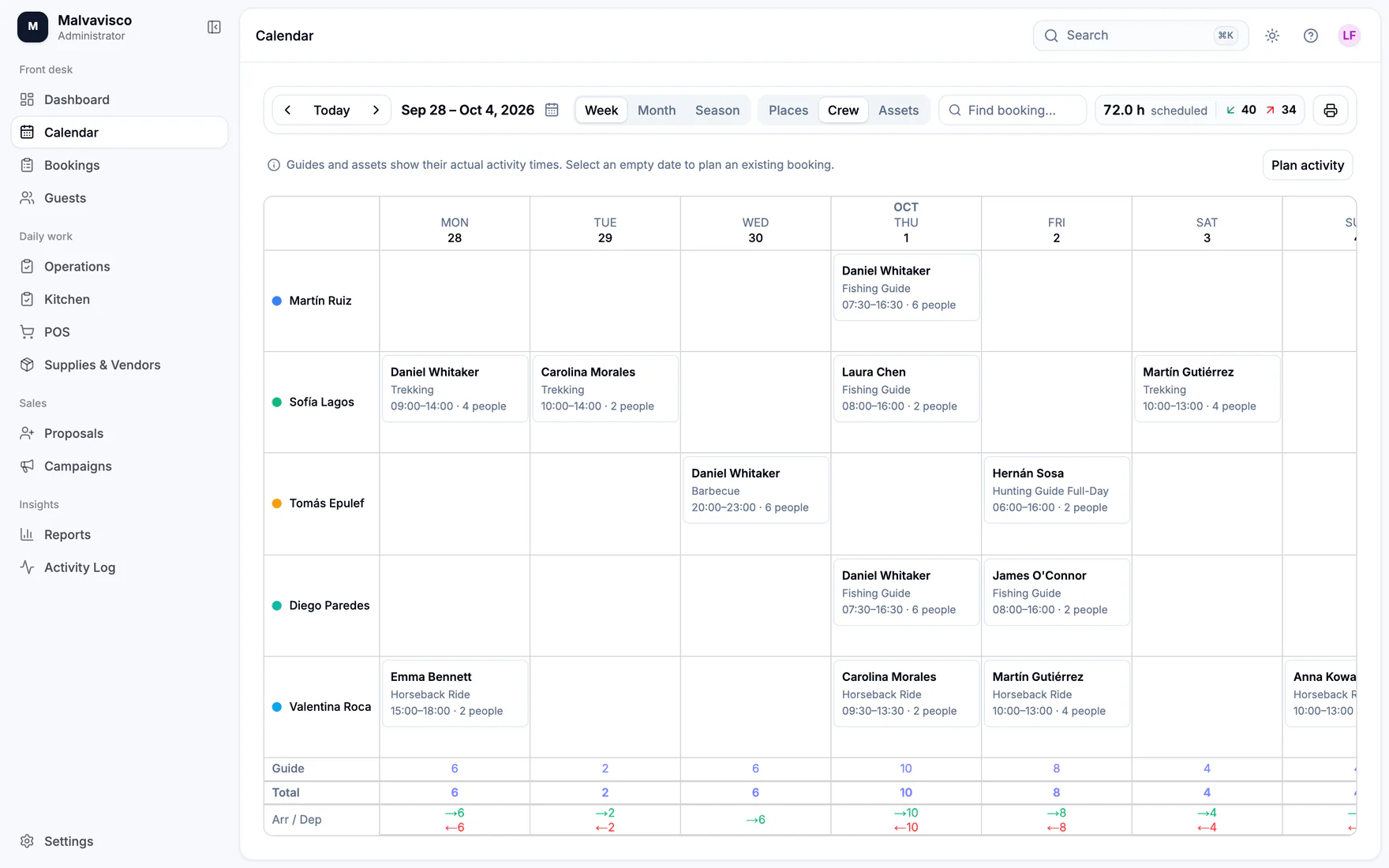
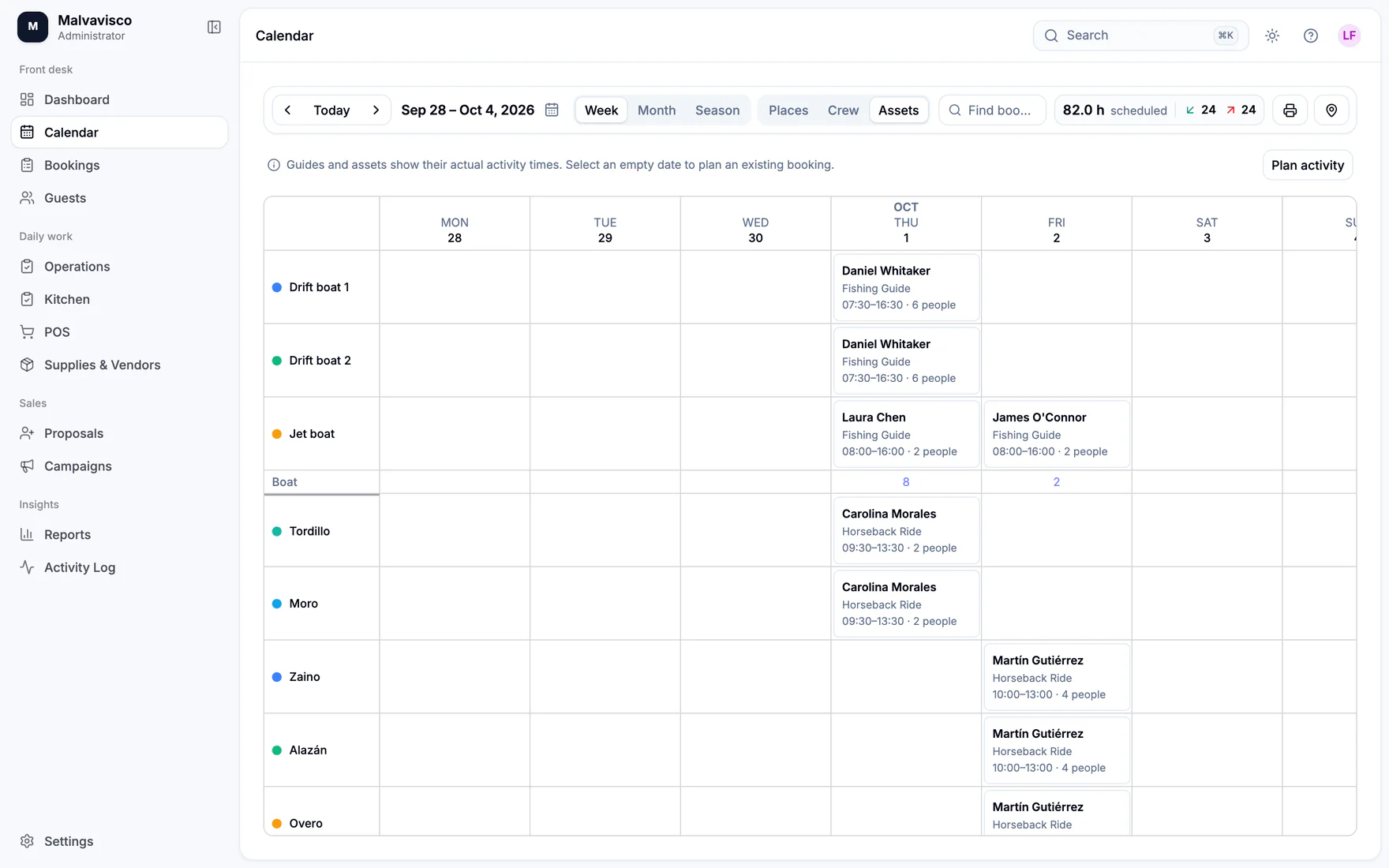
Every room, guide and boat at a glance.

Places, Crew and Assets views by week, month or season. Colours tell you what is pending, confirmed, paid or done.

  • Drag a booking to move it; click an empty night to start one
  • Crew and asset rows show real assignment times
  • Print the grid as a PDF for the office wall
The LodgeOps calendar showing rooms down the side and colour-coded bookings across the month.
Every module

What each part of LodgeOps does.

Bookings & rooms

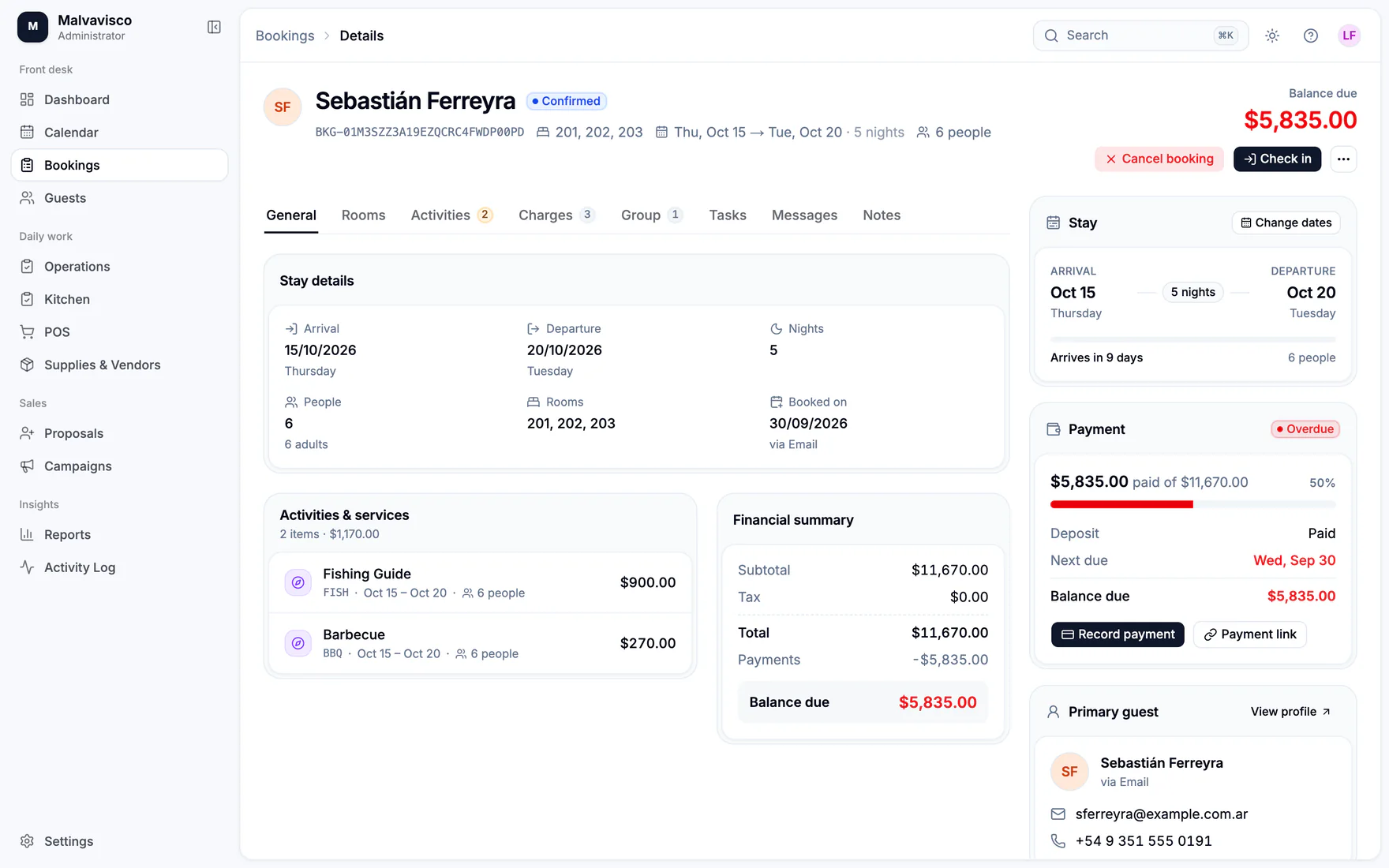
Holds, confirmations, split stays, groups and past-date corrections with a reason attached.

  • One People field; arrival plus nights sets the departure
  • Prices come from your own rates, not a calculator
  • Rooms for the whole stay or night by night, with overlap and capacity checks
  • Draft, hold, confirmed, checked in, checked out or cancelled
  • Group editing, notes, tasks and a message history per booking
  • Past-dated corrections need a reason; after a week, only a manager can make them
Calendar

Rooms, crew and gear by week, month or season, with drag-to-move and printable grids.

  • Places, Crew and Assets views
  • Week, month and six-month season ranges
  • Drag to move a booking; click an empty night to create one
  • Colour for pending or deposit due, confirmed, paid and completed
  • Print the grid as a PDF

Guides, horses & boats

Sell an activity, then schedule the guide and gear. Overlaps, capacity, skills and language are checked.

  • Sell a service first, then schedule it separately
  • Assign a guide plus horses, boats or vehicles
  • Checks for overlaps, capacity, guide skills and languages
  • Scheduling never charges the guest twice
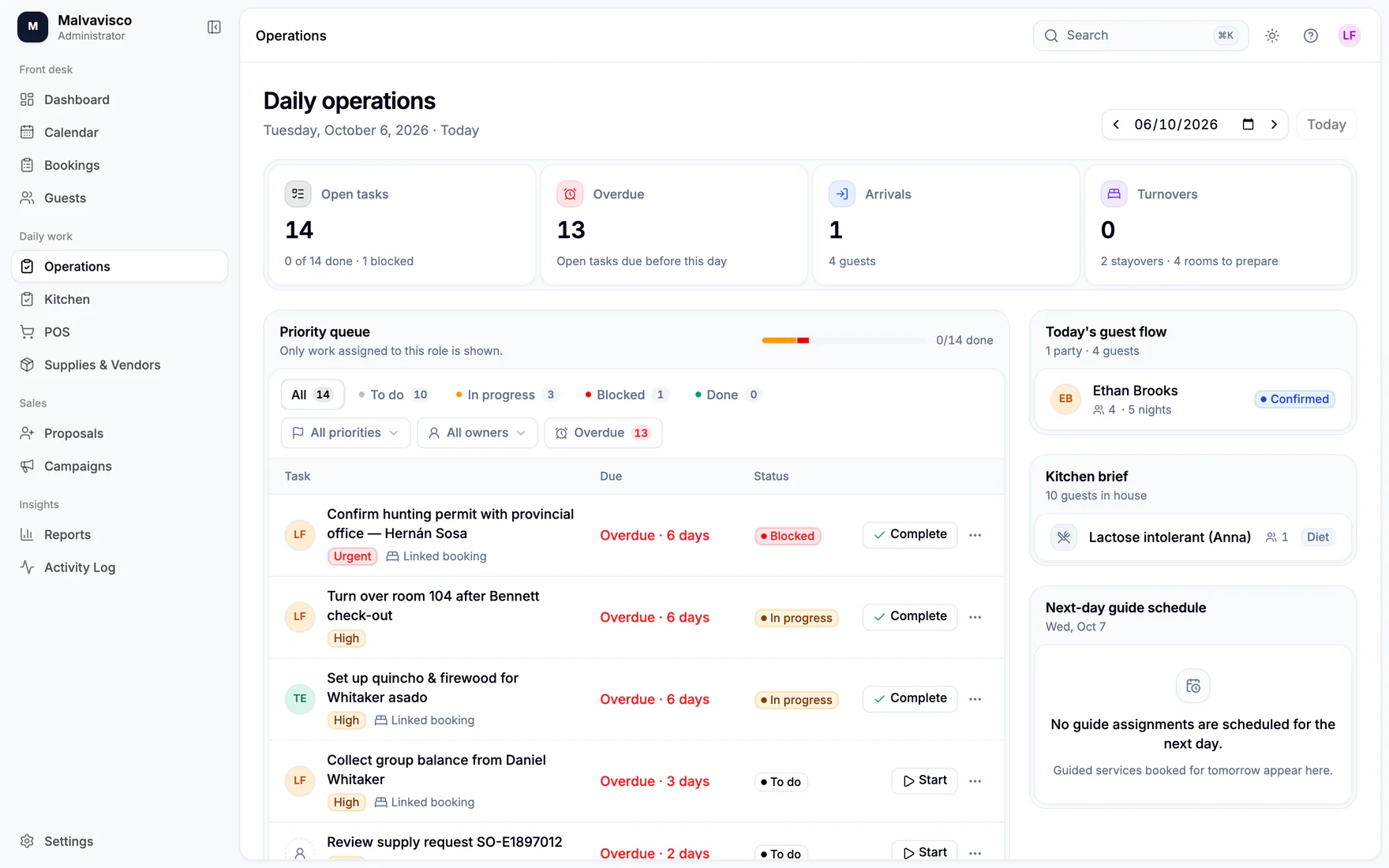
  • Tomorrow’s guide schedule appears on the Operations board

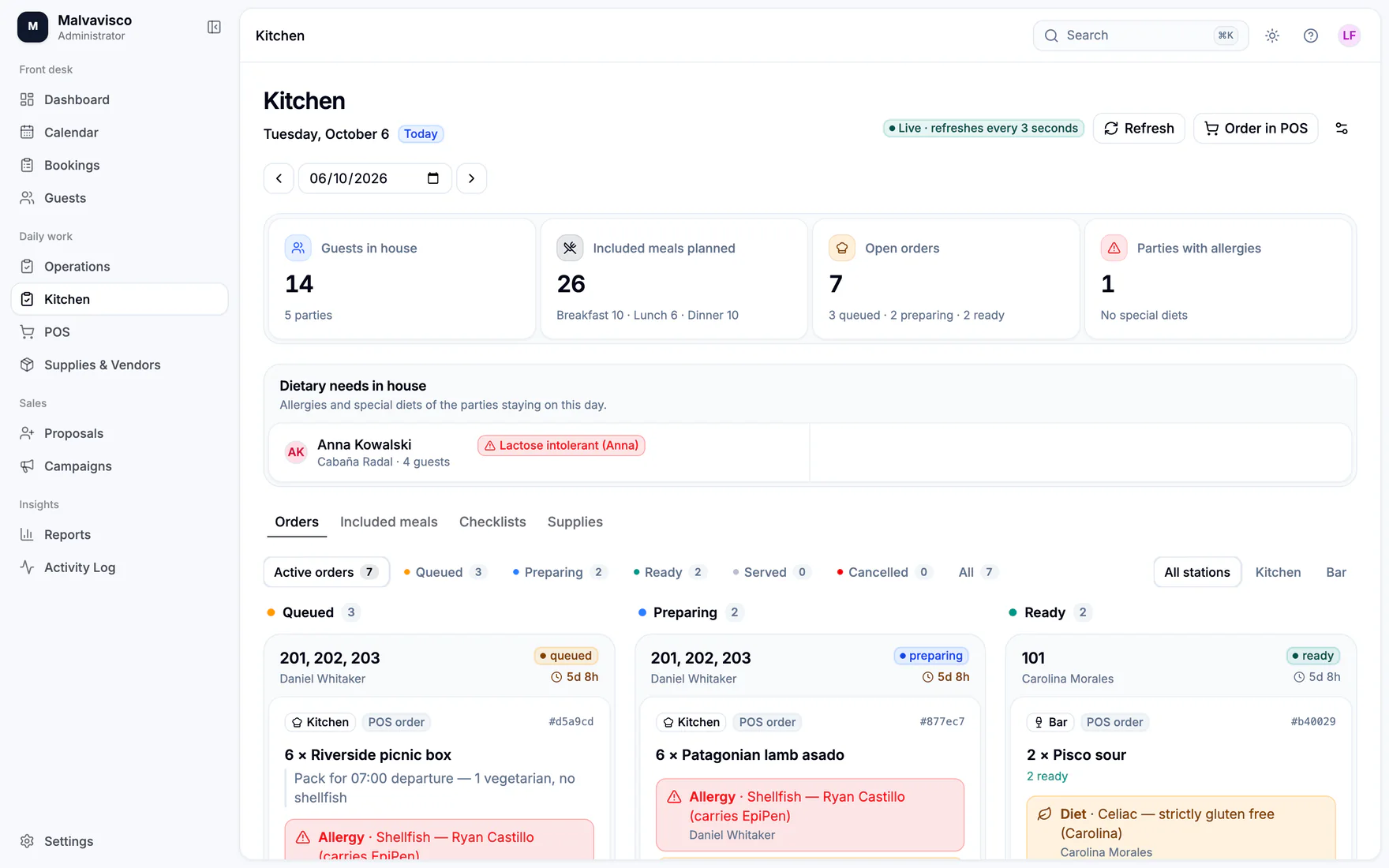
Kitchen & meals

Preparation tickets, included-meal planning, checklists and supply receipts.

  • Tickets move from Start preparing to Ready to Served
  • Dietary notes are acknowledged by the kitchen
  • Plan included meals without adding a charge
  • Kitchen checklists and supply receipts
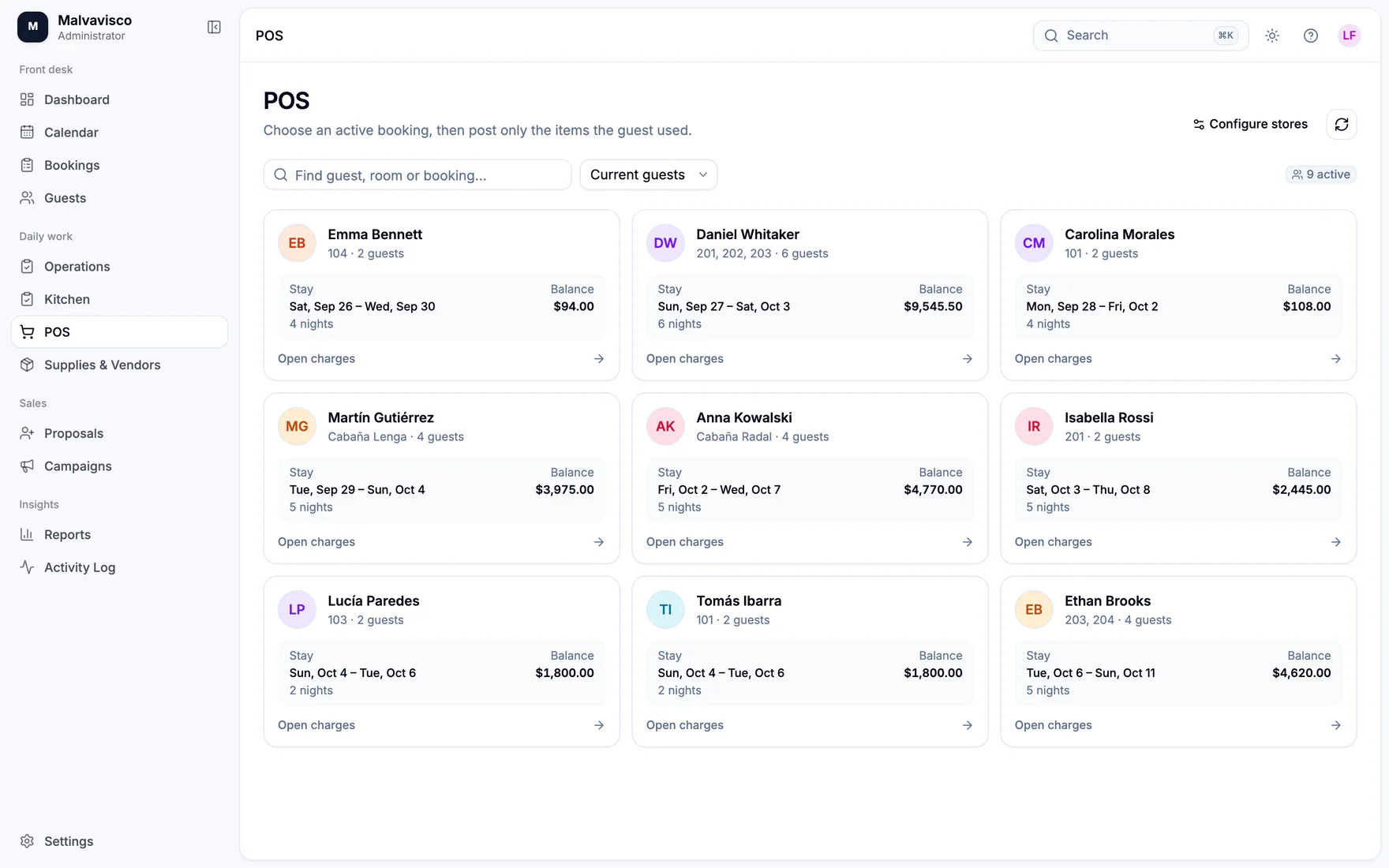
  • The point of sale sends prepared items to Kitchen or Bar

Payments & invoices

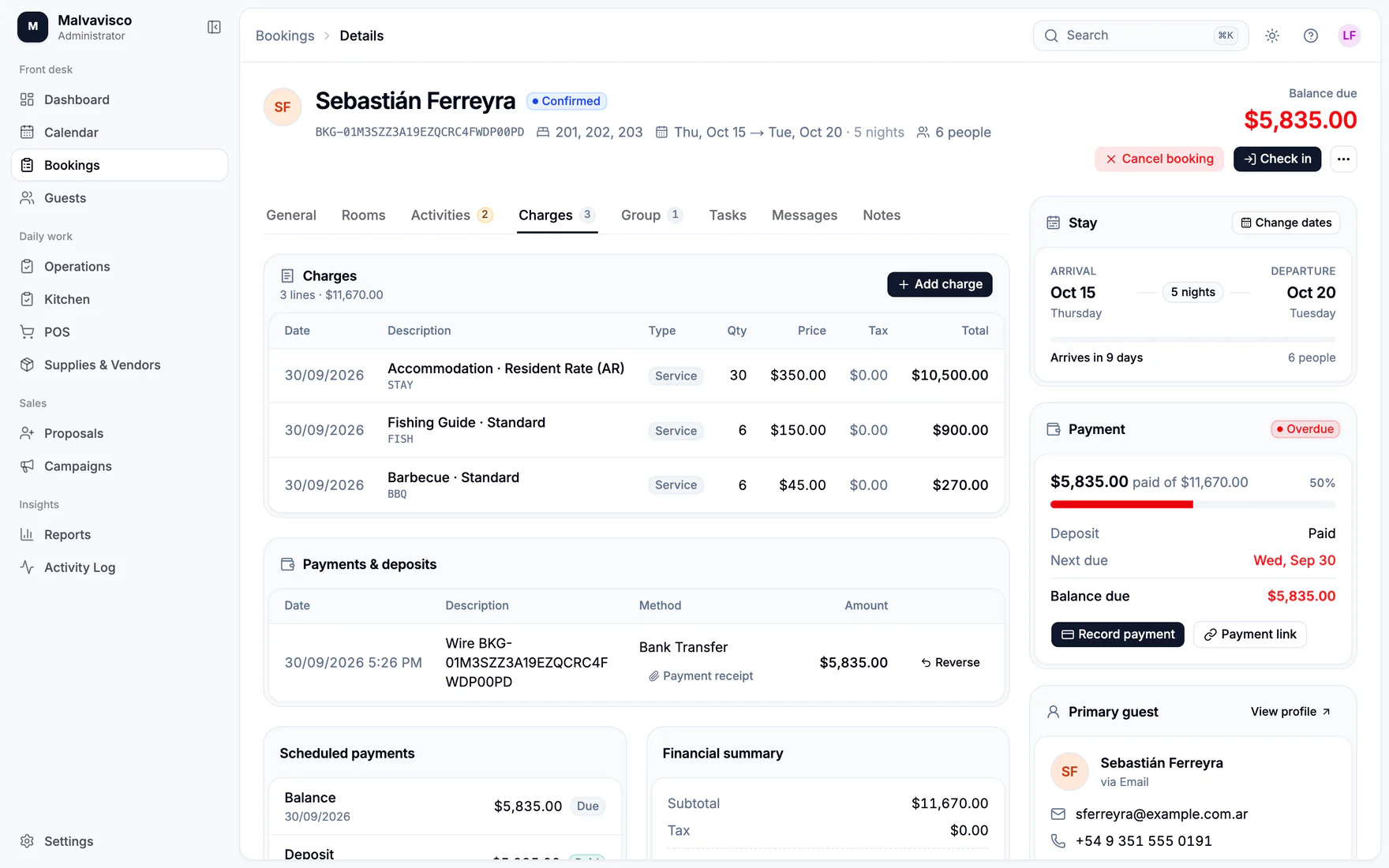
Cash, bank transfer and card-terminal receipts with scanned attachments and a printable invoice.

  • Cash, bank transfer, external card terminal or other receipts
  • Reversals that keep the history intact
  • Receipt attachments, scanned for malware before download
  • A numbered, printable invoice for every booking
  • Balances per booking and per currency

Guest messages

English and Spanish templates, booking reminders, pre-trip questionnaires, waivers and post-stay surveys.

  • Email templates in English and Spanish, with versions
  • Booking reminders and simple automations
  • Pre-trip questionnaires, waivers and guest documents
  • Post-stay surveys with links to your Google and Tripadvisor pages
  • A delivery monitor and a suppression list

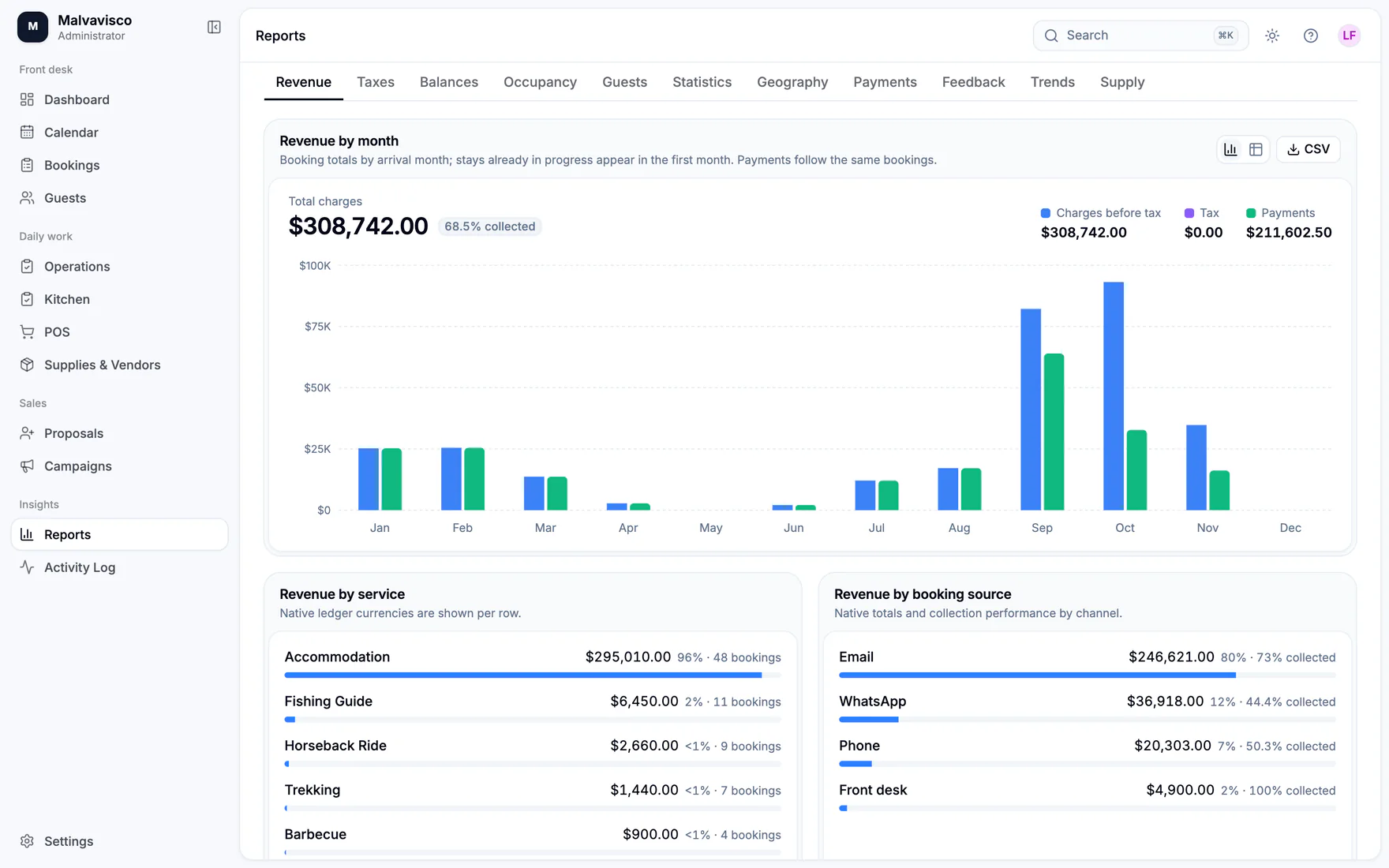
Reports

Revenue, taxes, balances, occupancy, geography, feedback and supplies, with spreadsheet exports.

  • Revenue, taxes, balances and payments per currency
  • Occupancy, guest statistics and geography
  • Feedback, trends and supply costs
  • Detailed XLSX and CSV downloads
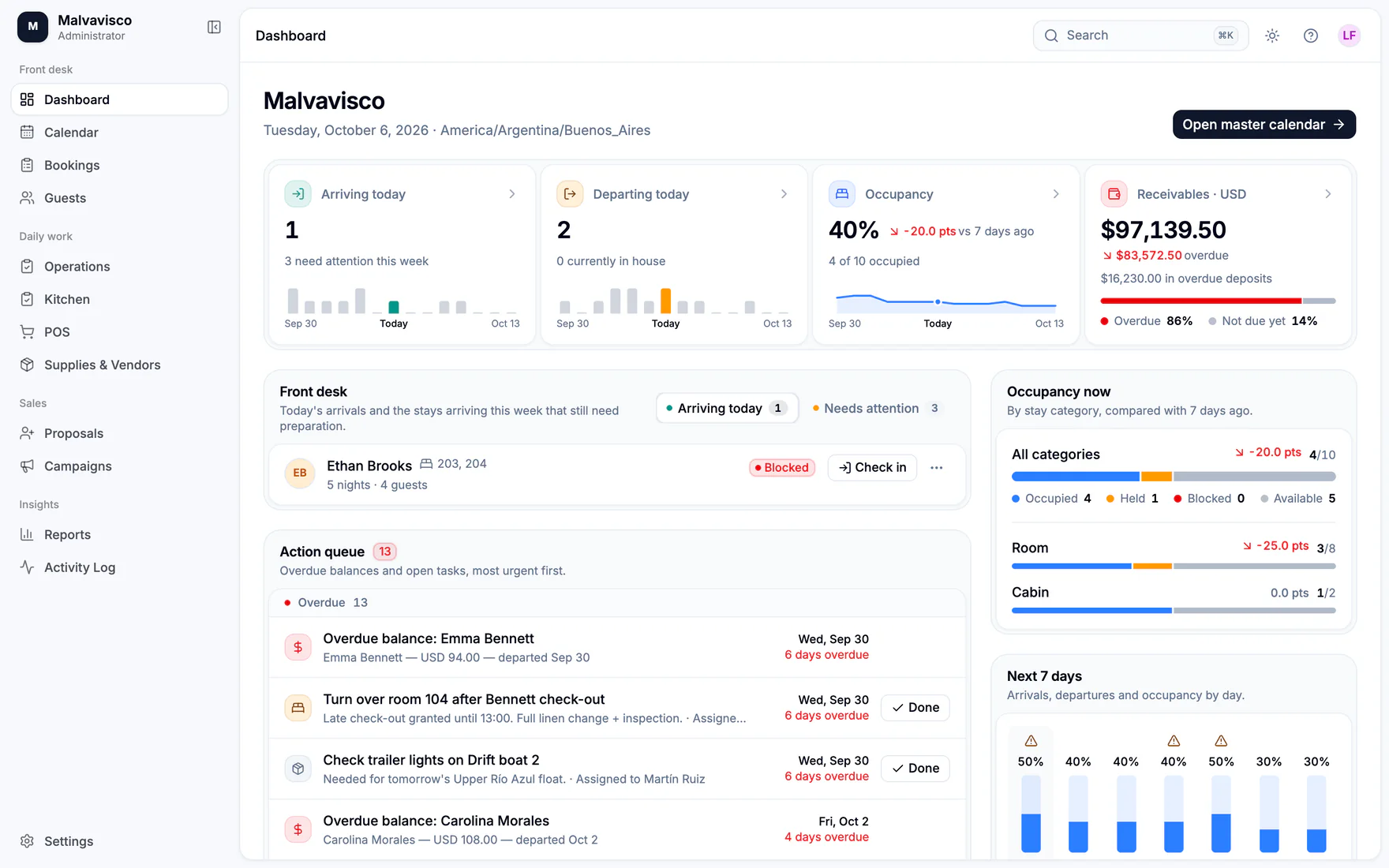
  • Arrivals and departures for the next seven days

Team & safeguards

Eleven roles, two-factor sign-in, an activity log and privacy requests handled step by step.

  • Eleven roles, from owner (read-only) to housekeeping
  • Permissions are enforced by the server, not just hidden in the interface
  • Two-factor sign-in and email verification
  • An activity log for every change
  • Privacy requests: review, approve, then execute
Straight answers

Not on the rack yet.

We would rather tell you now than after a busy weekend. LodgeOps does not currently offer:

  • Channel manager or OTA connections (Booking.com, Airbnb and similar)
  • Online checkout for guests (payment links are built but not yet live-tested)
  • Fiscal or accounting-system integrations
  • Packages, seasonal pricing and minimum stays
  • Restaurant table management for walk-in diners
  • Working fully offline
Come in from the cold

We’ll leave the light on.

Tell us about your lodge and we’ll walk you through LodgeOps with your own rooms, rates and activities.